试用账户申请 · 应用安装 · 测试设备注册 说明
Trial Account · App Installation · Test Device Registration
面向 StarHotel CMS 试用用户的完整操作指引
Complete walkthrough for StarHotel CMS trial users
适用范围:StarHotel CMS 试用用户(Trial)。本文档覆盖三个步骤: ① 申请试用账户;② 在 Android 电视 / 机顶盒(STB)上安装 PMS 与 Hotel 两个 APK;③ 在 CMS 后台注册测试设备和编辑酒店展示页。
Scope: For StarHotel CMS trial users. This guide covers three steps: ① Apply for a trial account; ② Install the PMS and Hotel APKs on an Android TV / set-top box (STB); ③ Register test devices and edit the hotel showcase page in the CMS.
⚠️ 最重要的一条规则(务必先读)
⚠️ The most important rule (read first)
Property 名称(酒店名称)必须满足以下三点,否则 APK 与后台无法对应:
The Property name (hotel name) must satisfy all three points below, otherwise the APK and the backend will not match:
- 必须是英文;
- 不能包含空格和特殊字符(只允许英文字母和数字);
- 必须与 APK 应用中设置的“酒店名称”完全一致(大小写、拼写都要一模一样)。
- Must be in English only;
- Must contain no spaces or special characters (only English letters and digits);
- Must be exactly identical to the “hotel name” set inside the APK (same case and spelling, character for character).
一、试用账户申请(两步)
1. Trial Account Application (Two Steps)
入口
Entry
注册页:https://premiumhotel.hitecflow.com/register.html
Registration page: https://premiumhotel.hitecflow.com/register.html
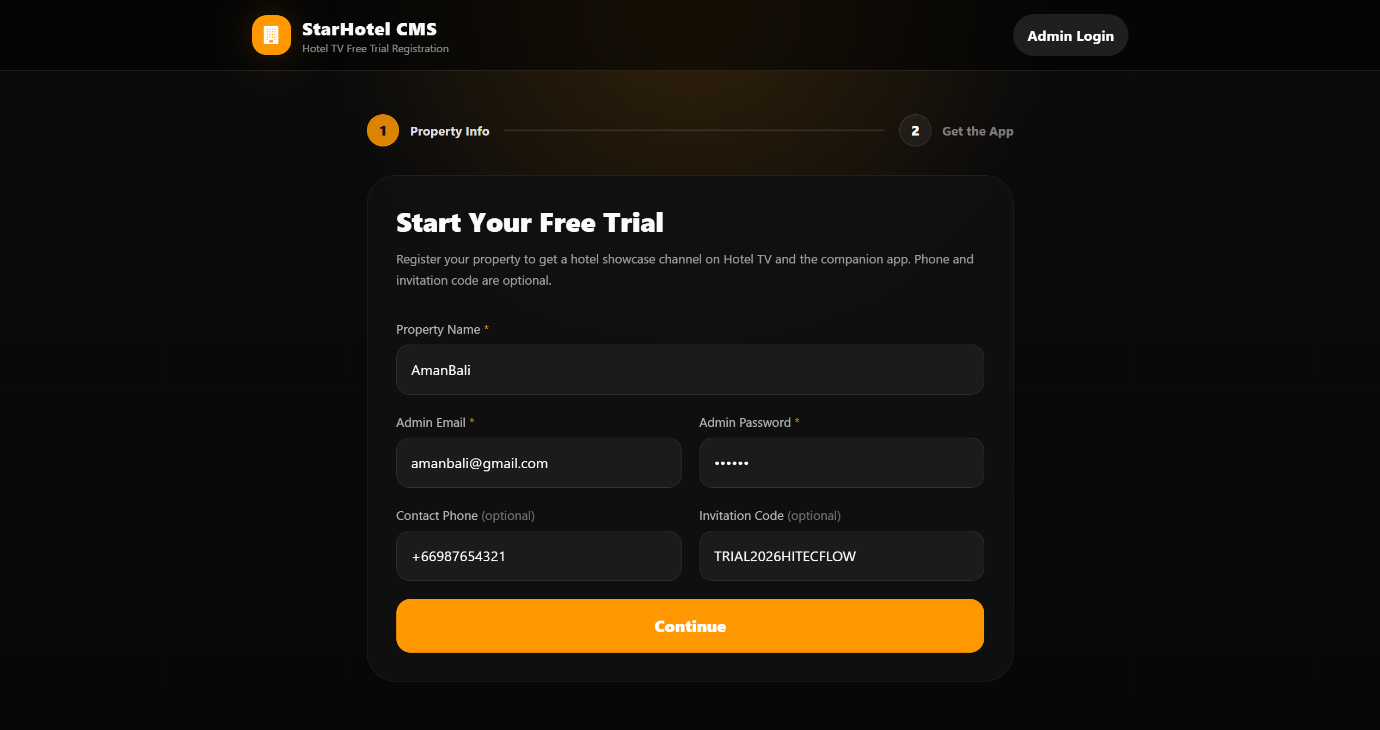
1第一步:填写信息
1Step 1: Fill in the information
| 字段 | 必填 | 说明 | ||
|---|---|---|---|---|
| Field | Required | Description | ||
| Property Name | ✅ 必填 | ✅ Required | 酒店/物业的英文名称。不能含空格和特殊字符,且必须与 APK 内的酒店名称完全一致(见上方规则)。 | English name of the hotel/property. No spaces or special characters, and must exactly match the hotel name inside the APK (see rule above). |
| Admin Email | ✅ 必填 | ✅ Required | 该 Property 的管理员登录邮箱,用于登录 CMS 后台。 | The admin login email for this Property, used to sign in to the CMS. |
| Admin Password | ✅ 必填 | ✅ Required | 管理员密码,至少 6 位。 | Admin password, at least 6 characters. |
| 联系电话 Contact Phone | 可选 | Optional | 方便售后联系。 | For after-sales contact. |
| 邀请码 Invitation Code | 可选 | Optional | 如主办方提供邀请码,填写后系统会在后台校验其有效性(已停用 / 过期 / 超次数会报错)。 | If an invitation code is provided by the organizer, the system validates it on the backend (disabled / expired / over-limit will error). |
填写后点击 Continue(继续)。
After filling in, click Continue.
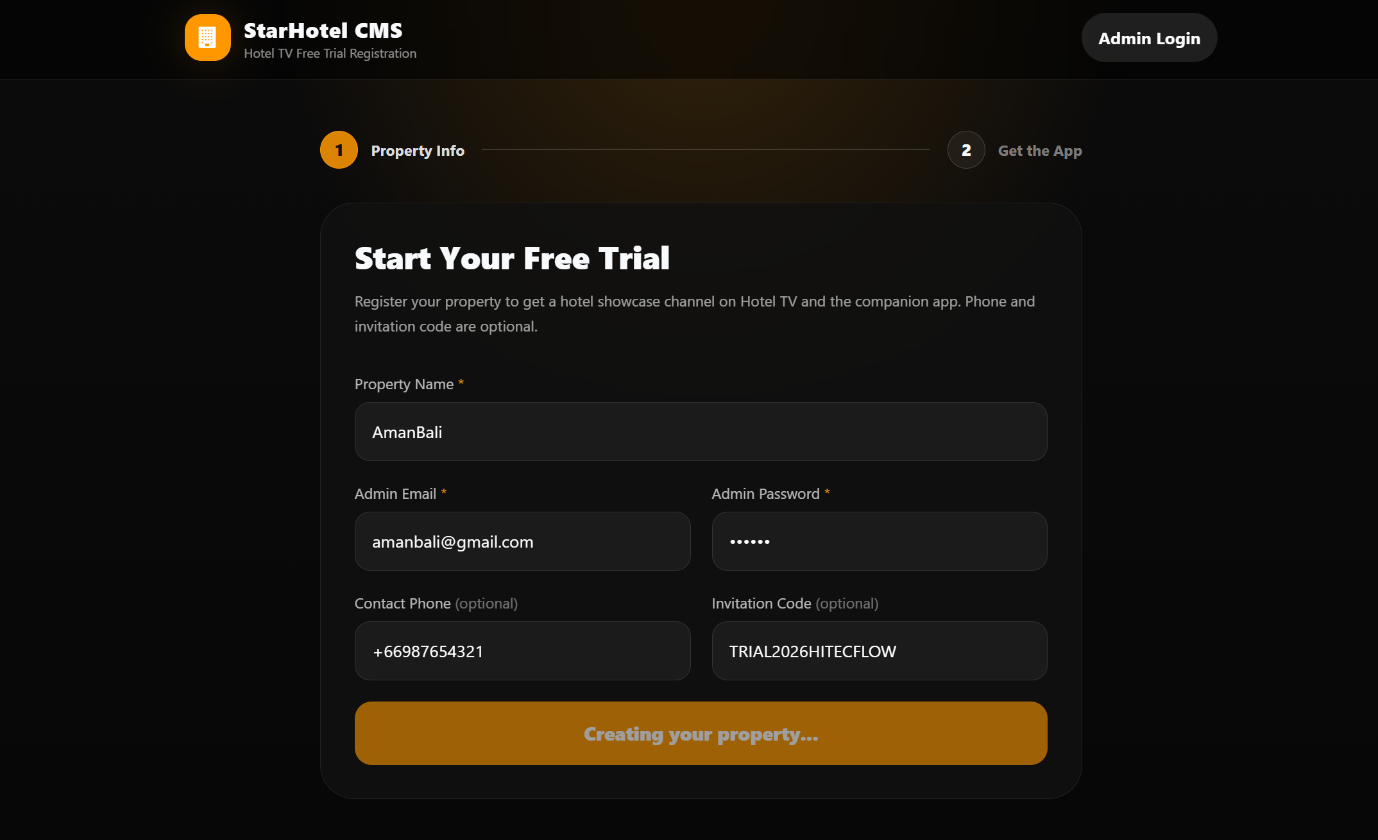
• 若提示“该 Property 已注册”:说明此名称已被占用。此时表单切换为登录模式,输入该 Property 的管理员密码,点击 Sign In & Continue 直接跳到第二步。
• If it says “This Property is already registered”: the name is taken. The form switches to login mode — enter the admin password and click Sign In & Continue to jump straight to step 2.
• 若为全新 Property:后台自动执行以下动作后进入第二步。
• For a brand-new Property: the backend automatically performs the following, then proceeds to step 2.
- 第一步提交后,后台创建一个新酒店,并以你填写的 Email + Password 作为该酒店的管理员账号;
- 若注册因网络等原因未成功,第二步会标注 “registration pending”,不会影响 CMS 账户创建;可在 CMS 设备面板重试或联系支持。
- After step 1 is submitted, the backend creates a new hotel and uses your Email + Password as that hotel’s admin account;
- If registration fails (e.g. network), step 2 will show “registration pending” — this does not affect CMS account creation. You can retry from the CMS device panel or contact support.
2第二步:获取下载链接与账户信息
2Step 2: Get download link & account info
进入第二步后,页面展示:
After entering step 2, the page shows:
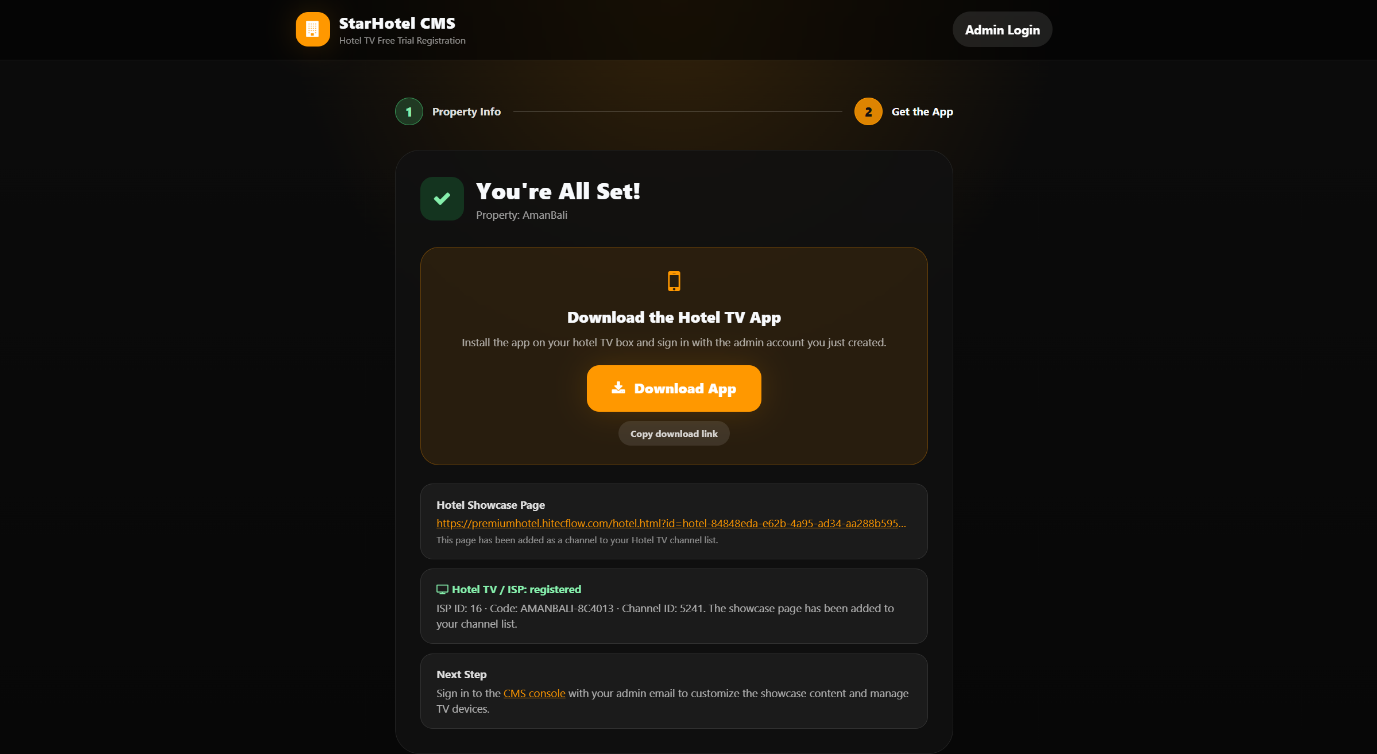
- APP 下载链接(大按钮,可点击下载或复制)—— 内含
PMS.apk与Hotel.apk两个安装包; - ISP / Hotel TV 注册状态(registered / pending);
- CMS 管理员登录入口(
https://premiumhotel.hitecflow.com)。
- APP download link (large button, click to download or copy) — contains the
PMS.apkandHotel.apkpackages; - ISP / Hotel TV registration status (registered / pending);
- CMS admin login entry (
https://premiumhotel.hitecflow.com).
二、应用安装(Android 电视 / 机顶盒)
2. App Installation (Android TV / Set-top Box)
1. 下载安装包
1. Download the packages
在第二步页面点击 APP 下载链接(或复制链接到浏览器打开),下载 hotel.zip 文件。解压缩后会有两个文件:PMS.apk 和 Hotel.apk。
On the step-2 page, click the APP download link (or copy the link into a browser) to download the hotel.zip file. After unzipping you get two files: PMS.apk and Hotel.apk.
PMS.apk—— PMS Adaptor;Hotel.apk—— 酒店电视前端应用(客房电视端)。
PMS.apk—— PMS Adaptor;Hotel.apk—— Hotel TV front-end app (in-room TV).
2. 安装要求
2. Installation requirements
- 设备:Android 电视或 Android 机顶盒(STB);
- 两个 APK 都必须安装到同一台设备上;
- 若设备提示“禁止安装未知来源应用”,请在系统设置中允许该来源(设置 → 安全 → 未知来源 / 安装未知应用)。
- Device: Android TV or Android set-top box (STB);
- Both APKs must be installed on the same device;
- If the device shows “installation from unknown sources blocked”, allow it in system settings (Settings → Security → Unknown sources / Install unknown apps).
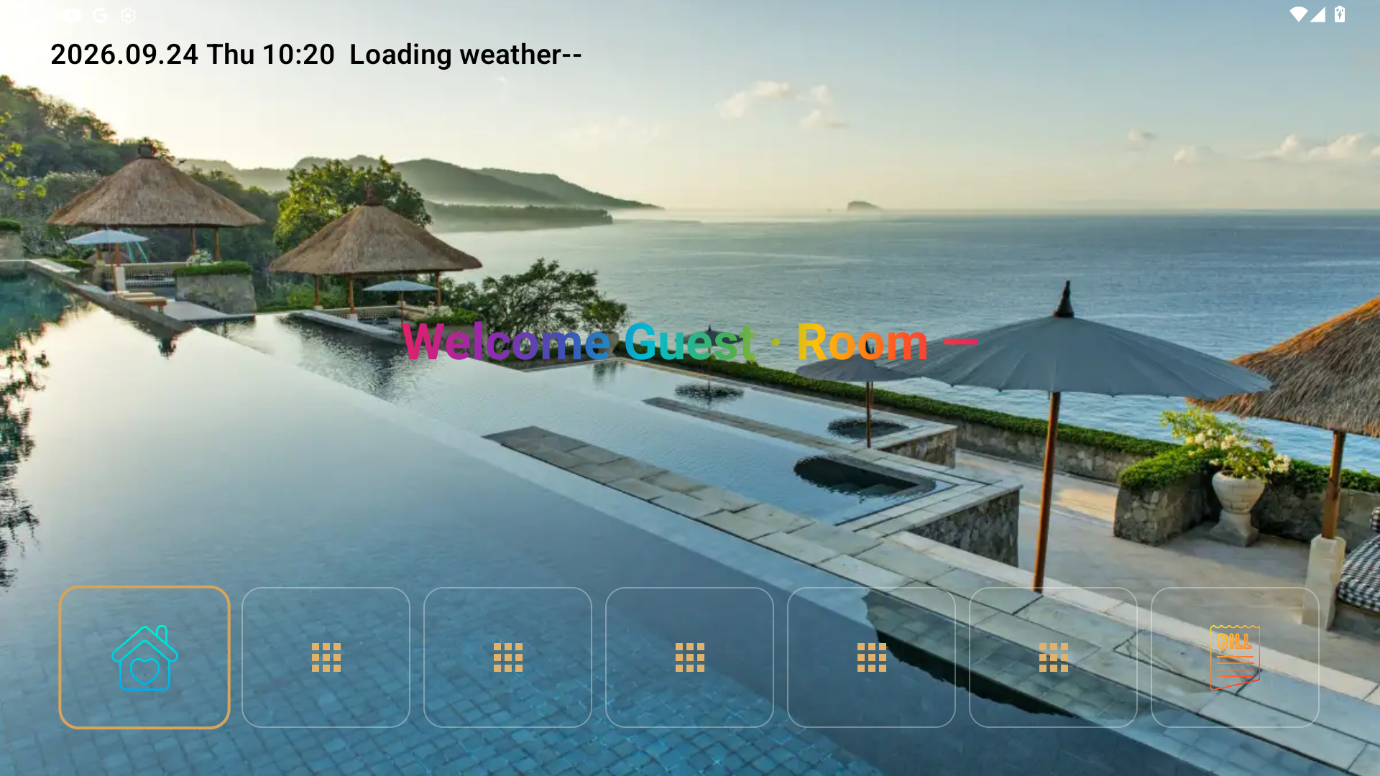
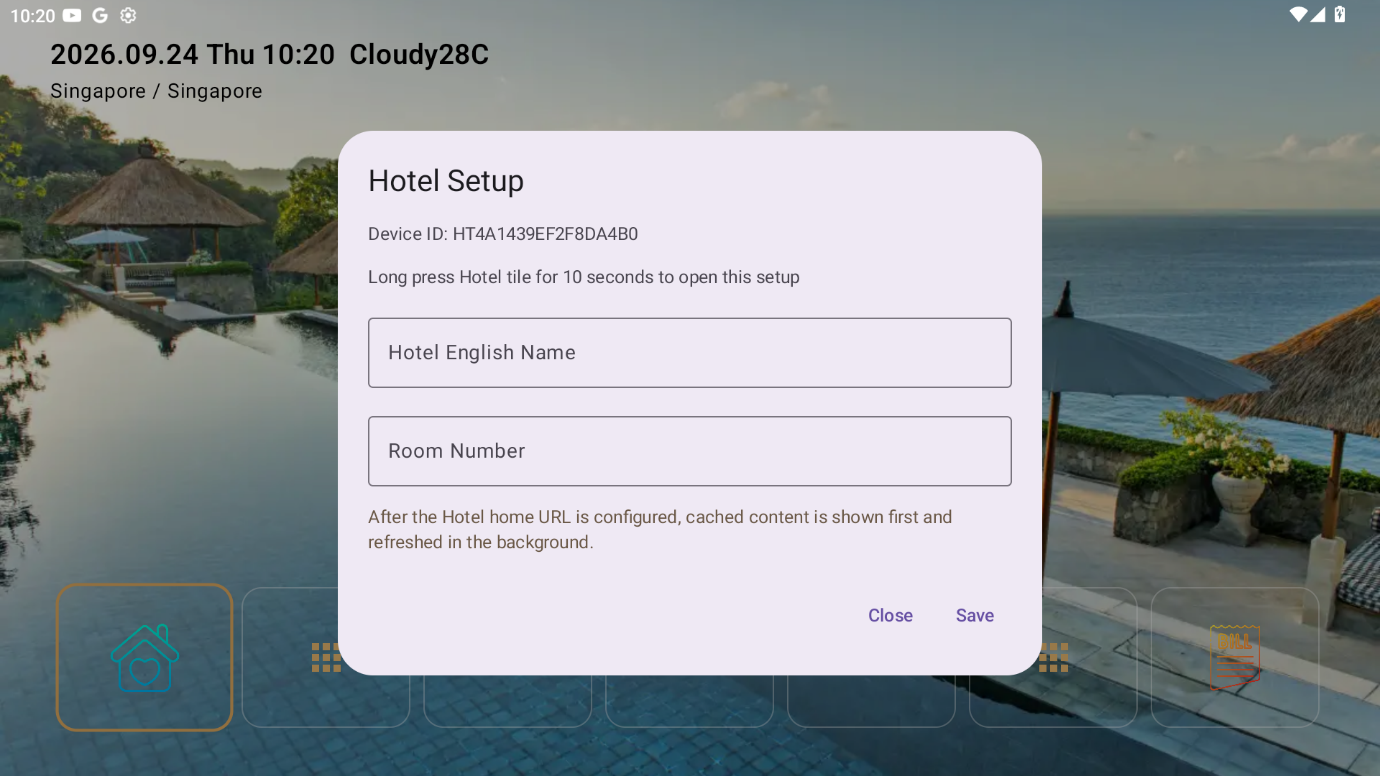
3. 在 APK 中设置酒店名称(关键)
3. Set the hotel name in the APK (critical)
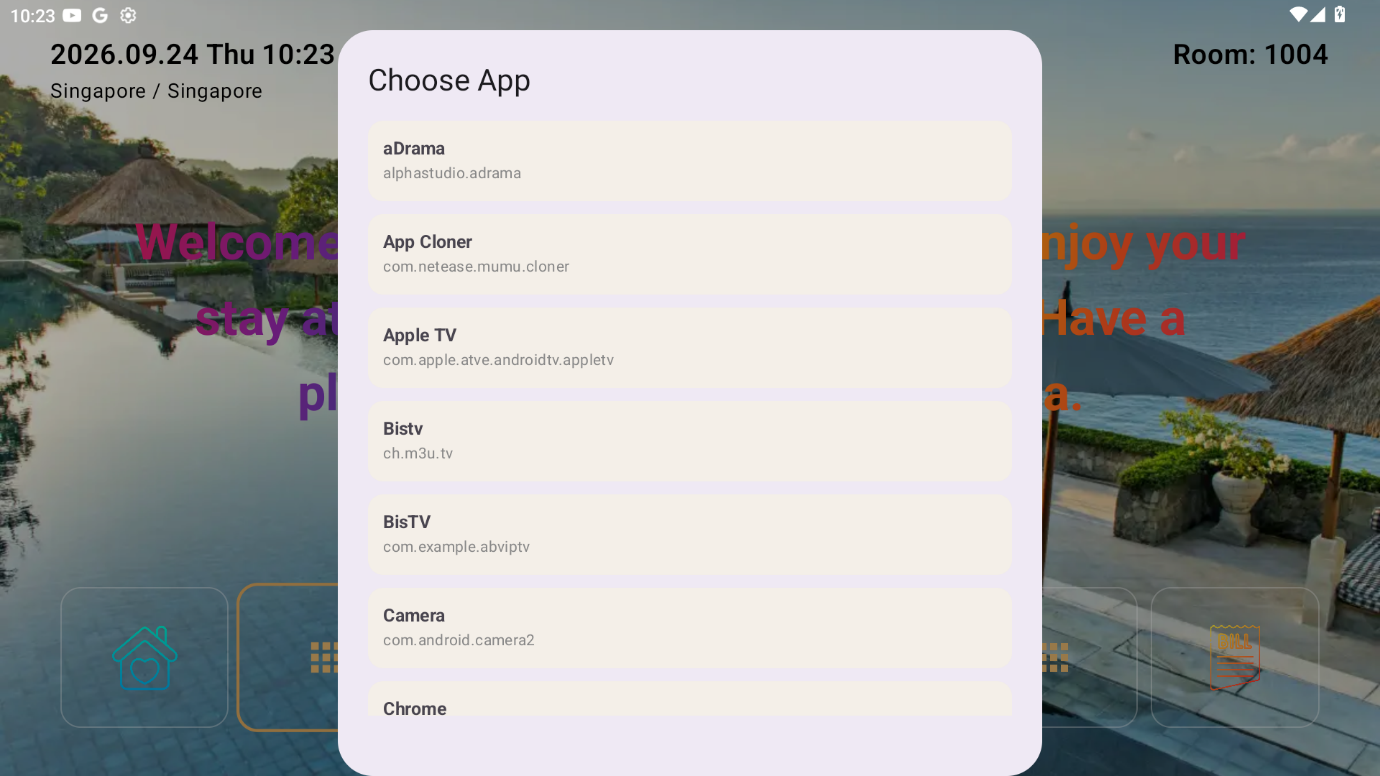
- 打开
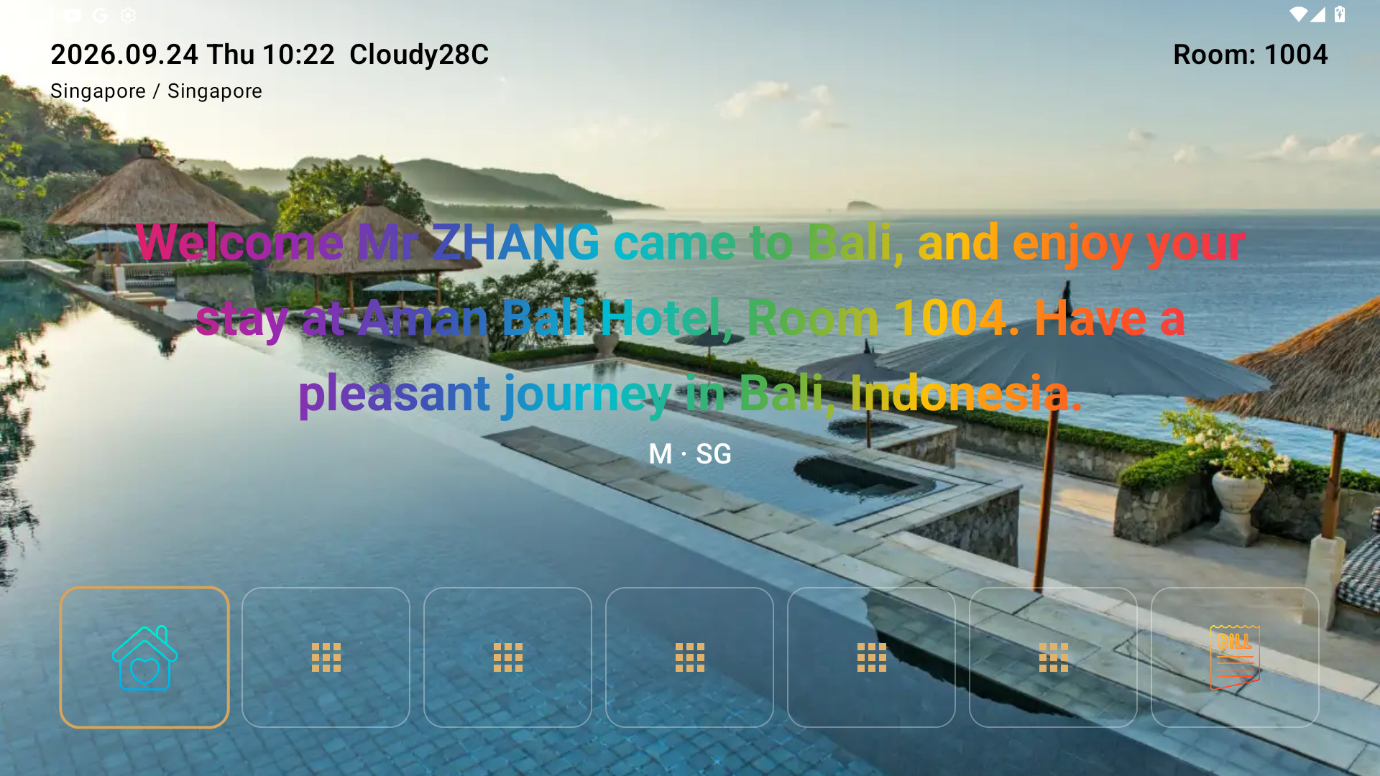
Hotel.apk(以实际界面为准),点击第一个图标,可以看到“酒店名称 / Property Name / Hotel Name”设置项; - 填入的酒店名称必须 与第一步注册的 Property Name 完全一致:同为英文、不含空格与特殊字符、大小写一致;
- 保存前扫描二维码,并将数据记录下来,后续注册设备的时候会用到;
- 其他的坑位可以选择需要展示的 APP。
- Open
Hotel.apk(actual UI may vary), tap the first icon to find the “酒店名称 / Property Name / Hotel Name” setting; - The hotel name you enter must be exactly identical to the Property Name registered in step 1: English only, no spaces/special chars, same case;
- Before saving, scan the QR code and record the data — it will be needed later when registering devices;
- Other slots let you choose which apps to display.

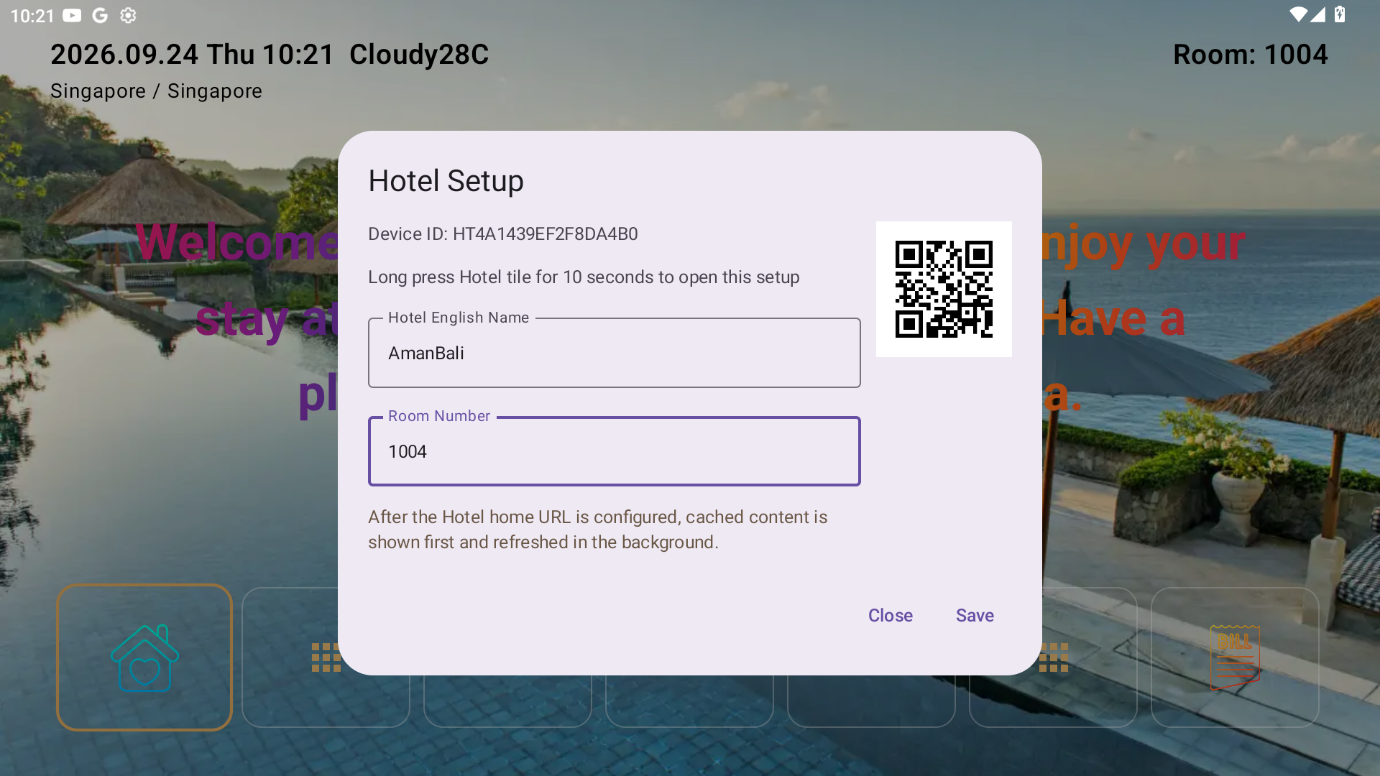
举例:第一步注册时 Property Name 填 grandhotel,则 APK 内也必须填 grandhotel,不能填 Grand Hotel、grand hotel 或 大饭店。
Example: if the Property Name in step 1 is grandhotel, the APK must also be grandhotel — not Grand Hotel, grand hotel, or 大饭店.
三、测试设备注册
3. Test Device Registration
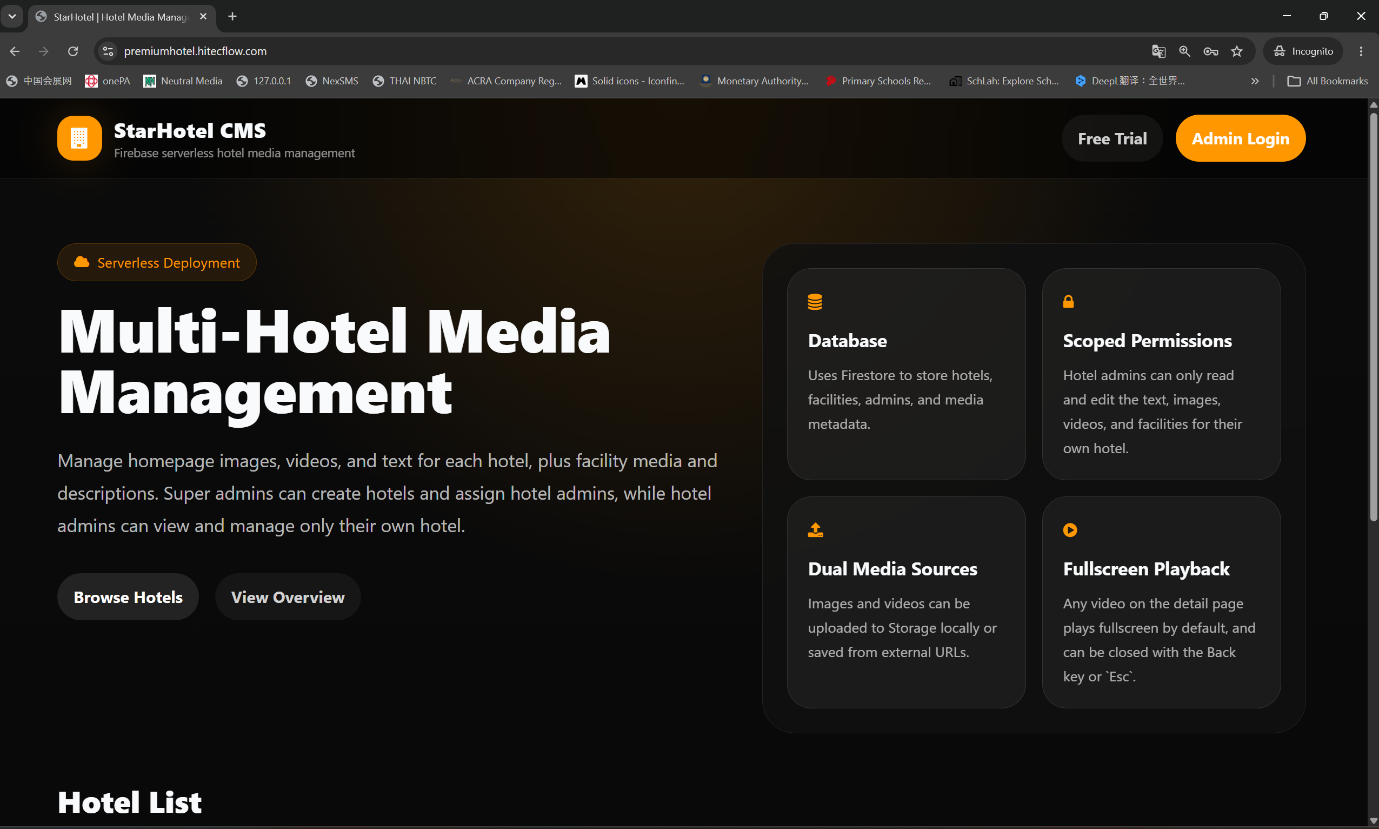
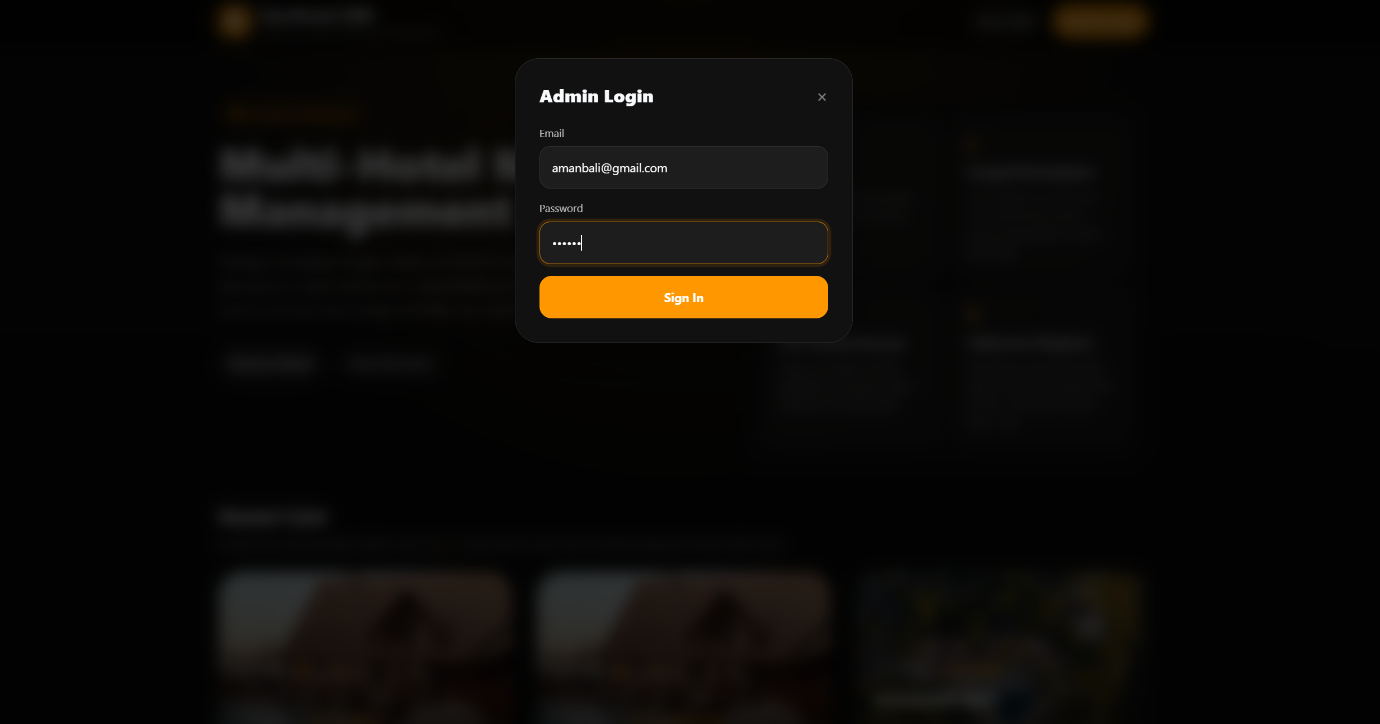
1. 登录 CMS 后台
1. Sign in to the CMS
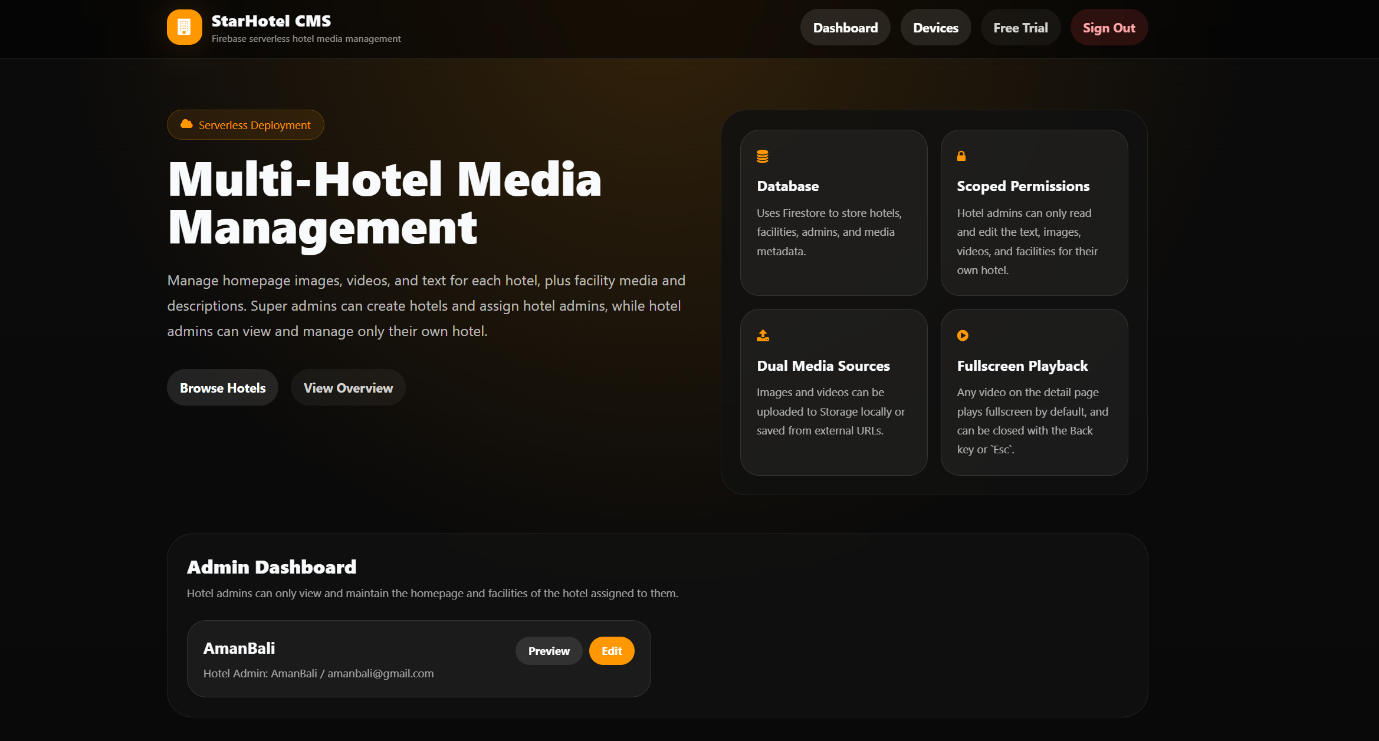
- 打开
https://premiumhotel.hitecflow.com; - 使用第一步注册的 Admin Email / Password 登录;
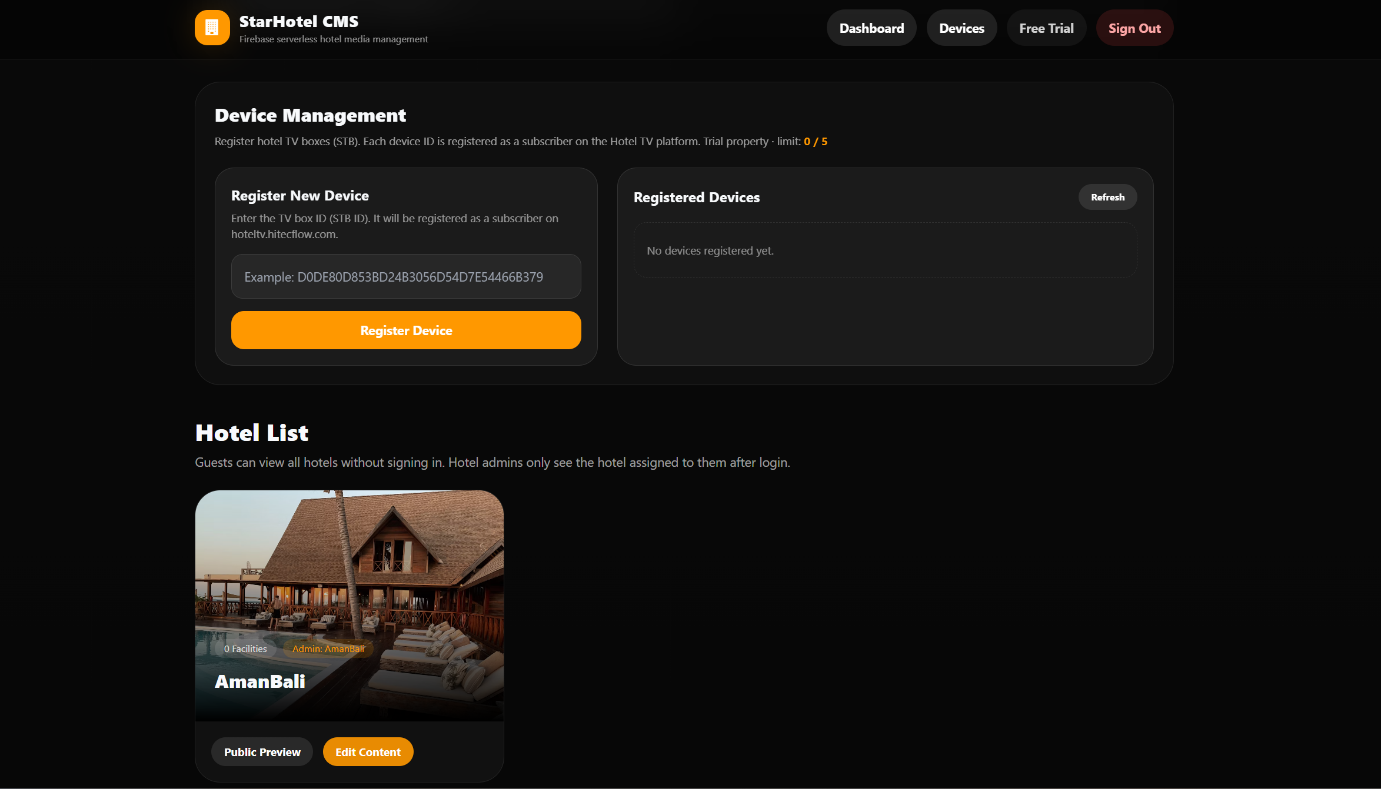
- 登录后顶部导航出现 Devices(设备) 按钮,点击进入设备面板。
- Open
https://premiumhotel.hitecflow.com; - Sign in with the Admin Email / Password from step 1;
- After login, a Devices button appears in the top navigation — click it to open the device panel.
2. 注册新设备
2. Register a new device
- 在 “Register New Device” 区域,输入 设备 ID(STB ID)——即机顶盒/电视的唯一标识(在电视 APP 内,扫描二维码可以获得,见下图);
- 点击 Register Device;
- 注册成功后,设备的展示名称会按 APK 内设置的酒店名称归到你的 Property 下。
- In the “Register New Device” area, enter the Device ID (STB ID) — the unique ID of the box/TV (obtained by scanning the QR code inside the TV app, see image below);
- Click Register Device;
- After success, the device is grouped under your Property by the hotel name set in the APK.
3. 设备数量限制
3. Device limit
- 试用(Trial)Property 默认最多注册 5 台设备;
- 达到上限后再注册会提示 “Device limit reached”;
- 试用转正式用户后,可增加设备数量上限。
- A trial Property can register at most 5 devices by default;
- Once the limit is reached, further registration shows “Device limit reached”;
- After converting from trial to formal, the device limit can be raised.
4. 设备列表
4. Device list
设备面板右侧 “Registered Devices” 展示已注册设备的 ID、注册时间、套餐(trial/formal)及 ISP 状态(ISP OK / ISP pending);点击 Refresh 可刷新列表。
The “Registered Devices” panel on the right shows each device’s ID, registration time, plan (trial/formal) and ISP status (ISP OK / ISP pending); click Refresh to update the list.
5. 酒店页面设计
5. Hotel page design
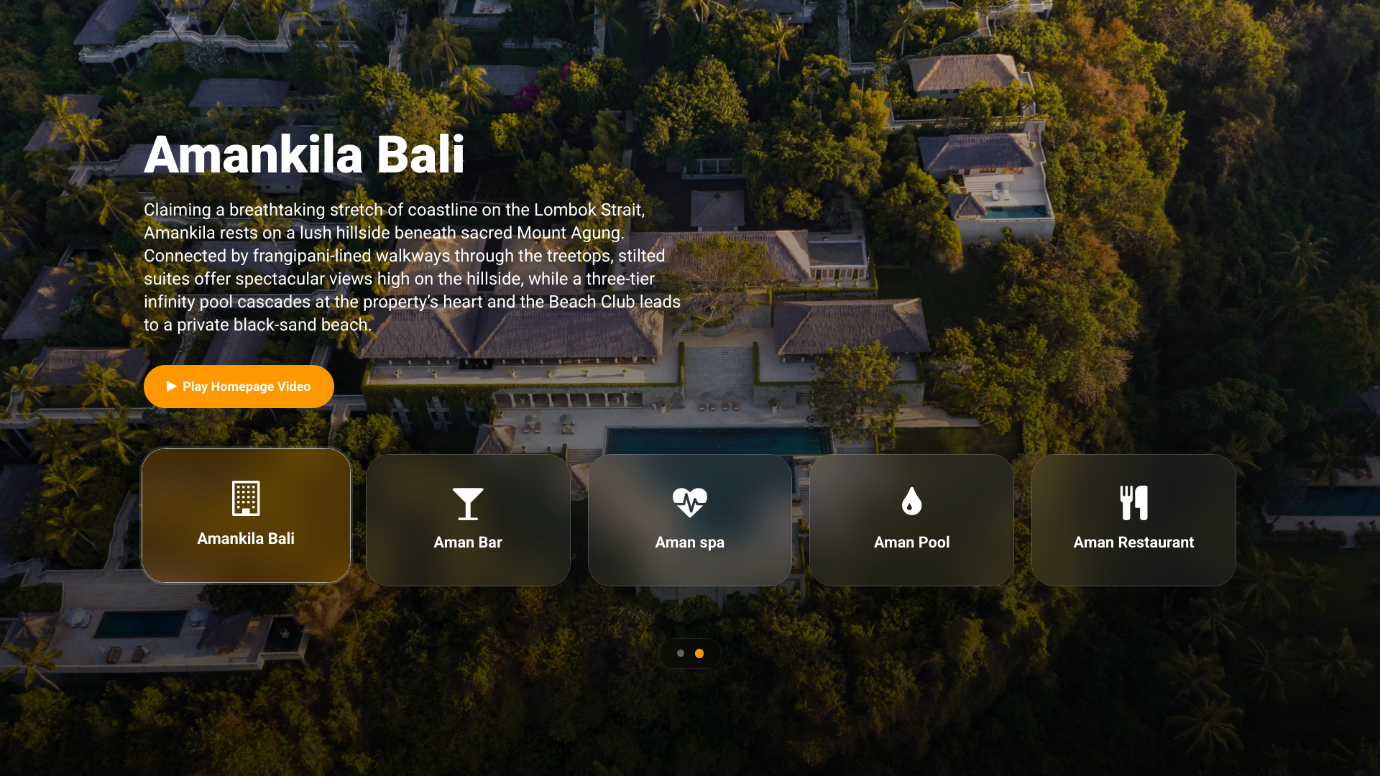
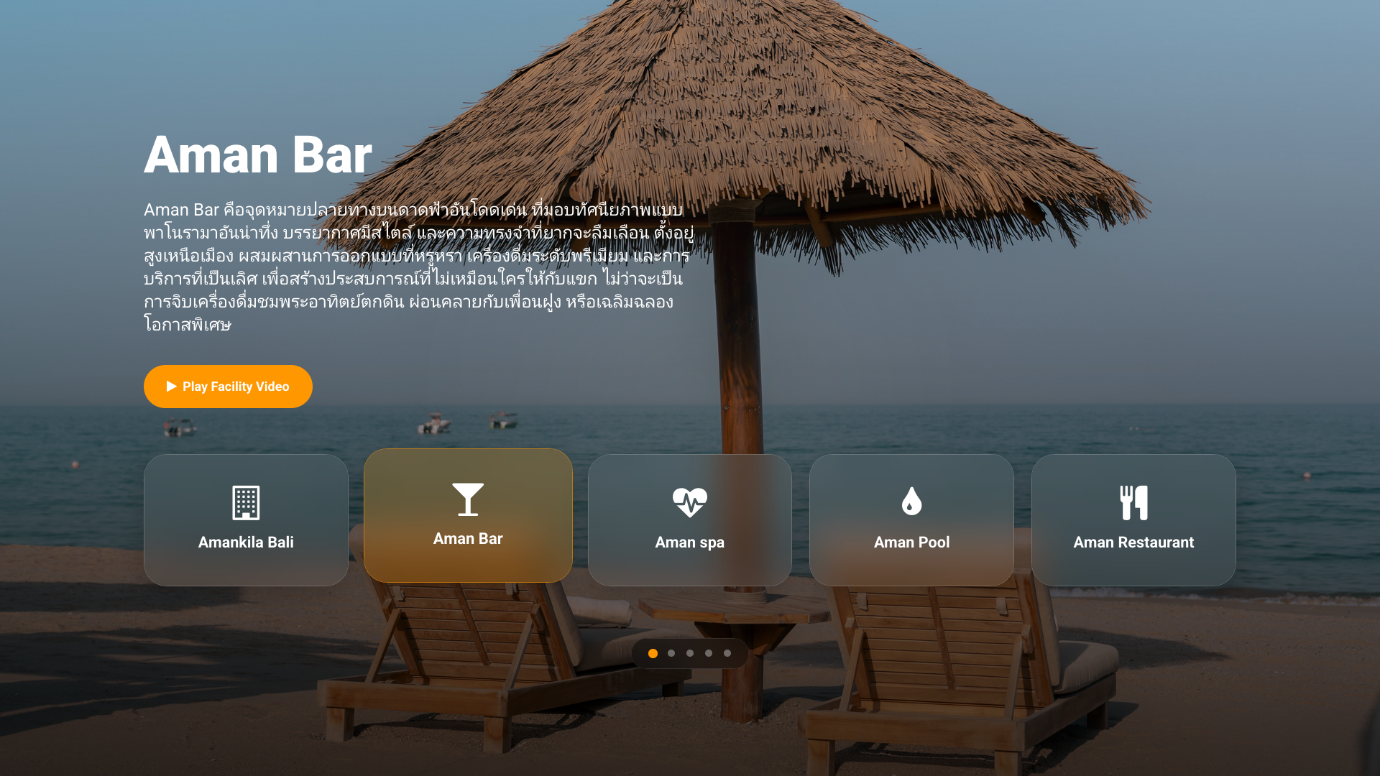
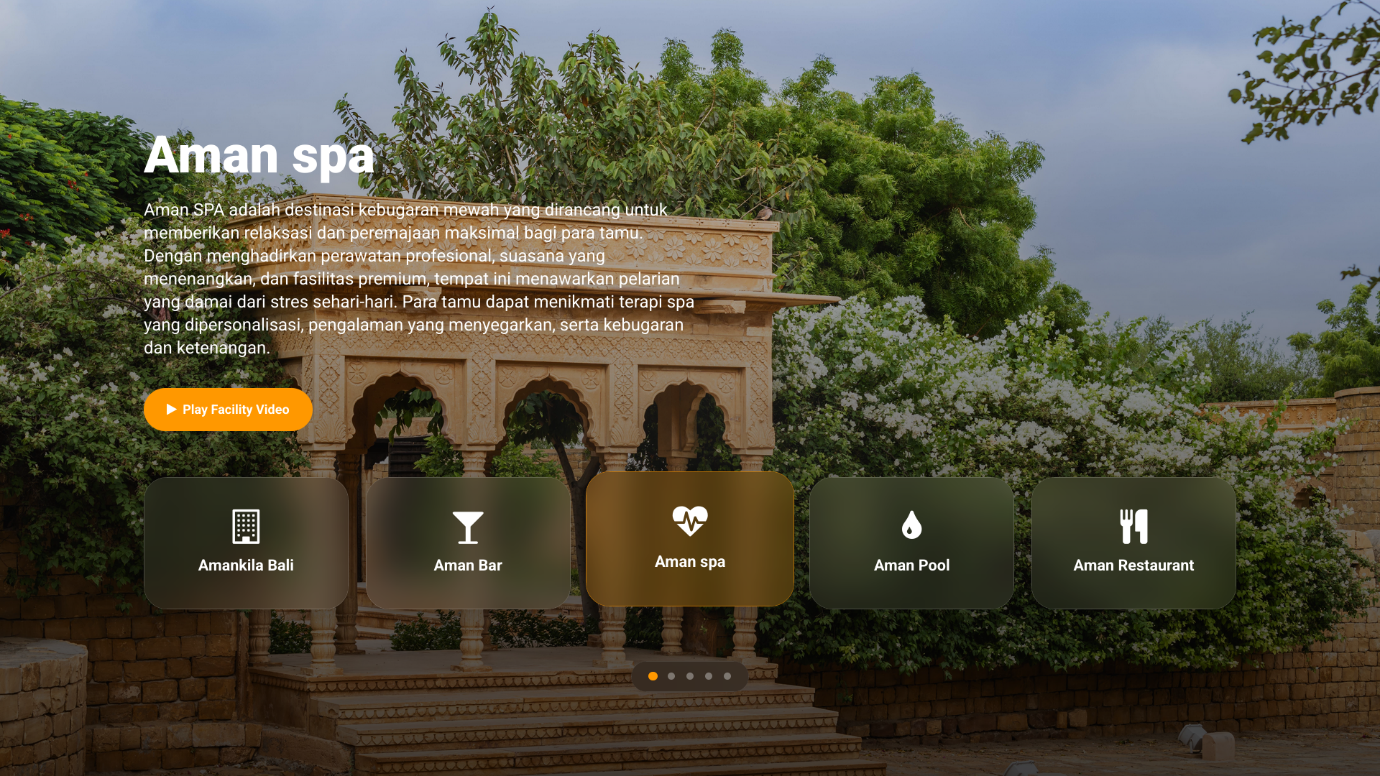
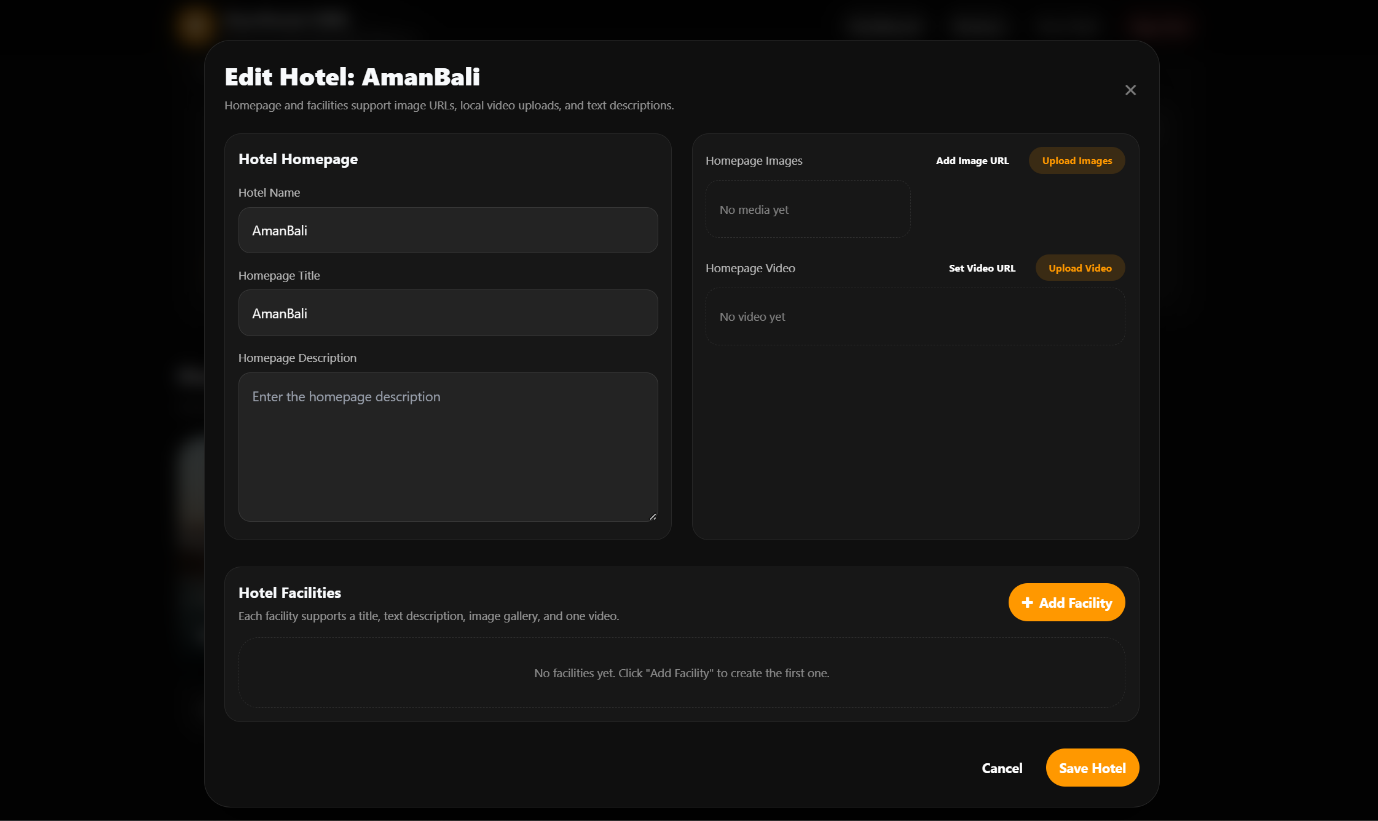
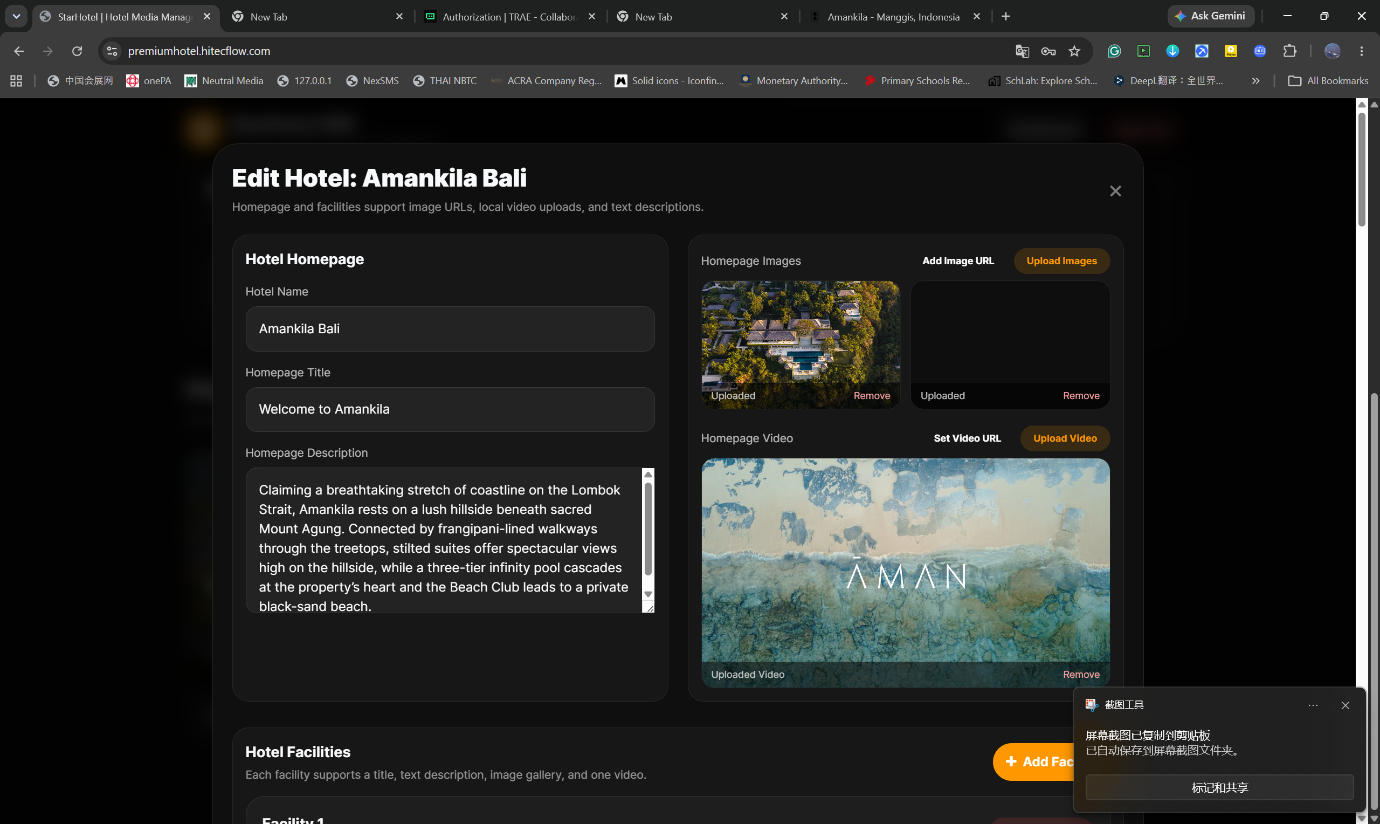
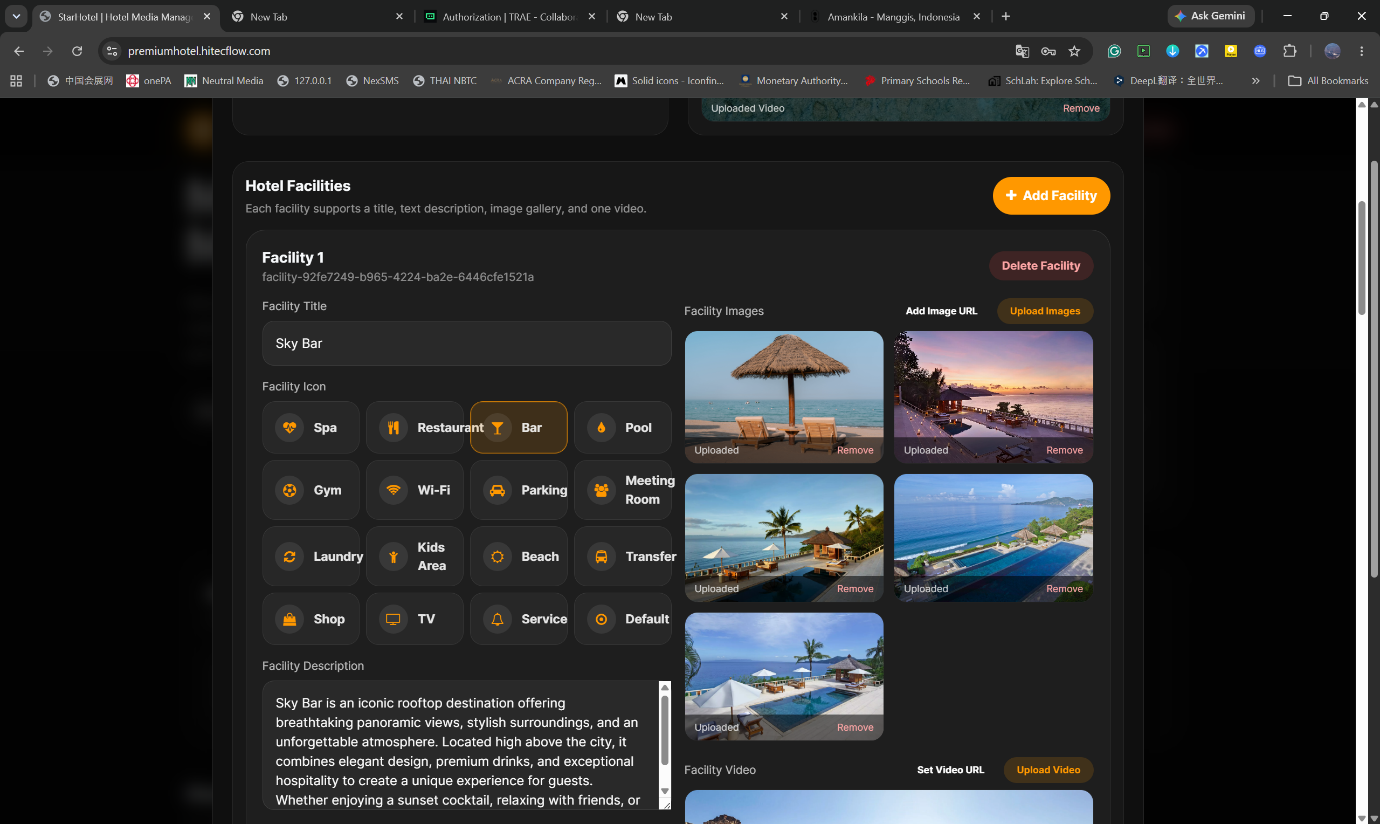
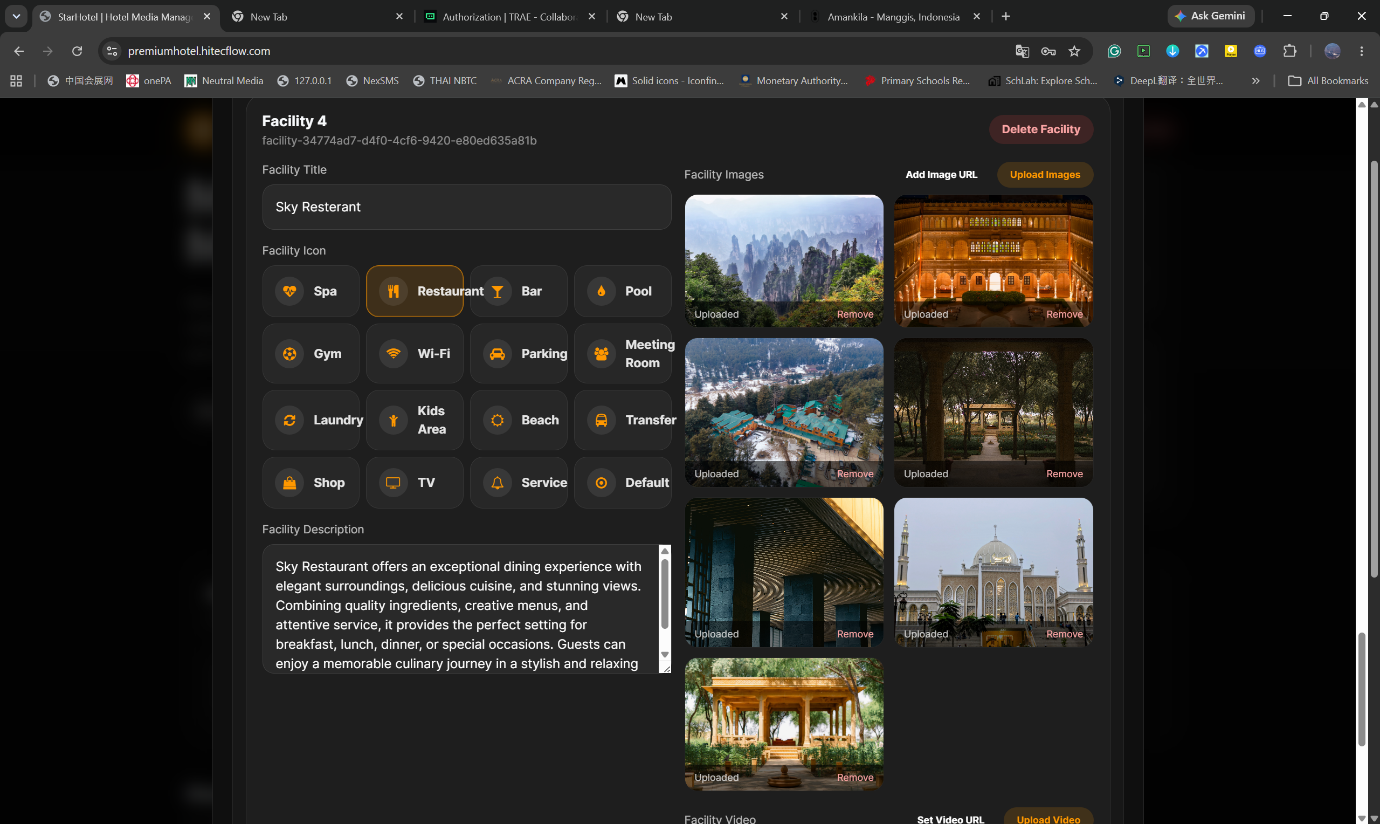
在 CMS 后台可编辑酒店的展示页面(首页标题、介绍、图片、设施等)。注册完成后即可登录后台进行个性化设置。
In the CMS you can edit the hotel’s showcase page (home title, intro, images, facilities, etc.). After registration, sign in to personalize it.
四、常见问题
4. FAQ
联系方式 / Contact: WhatsApp:+65 9628 8087 | 邮箱 / Email:henry@hitecflow.com
Contact: WhatsApp: +65 9628 8087 | Email: henry@hitecflow.com
五、信息核对清单(申请前确认)
5. Pre-application Checklist
- Property Name 为英文、无空格、无特殊字符(建议纯小写字母数字)
- 计划在 APK 中填入的酒店名称 = 上述 Property Name(逐字符一致)
- Admin Email 可用且能接收(用于登录 CMS)
- Admin Password ≥ 6 位
- 已准备好 Android 电视 / STB 用于安装与测试
- (如适用)已获取邀请码
- Property Name is English, no spaces, no special chars (prefer lowercase letters/digits)
- The hotel name to be entered in the APK = the Property Name above (character-for-character)
- Admin Email is valid and reachable (used to sign in to CMS)
- Admin Password ≥ 6 characters
- An Android TV / STB is ready for installation and testing
- (If applicable) Invitation code obtained
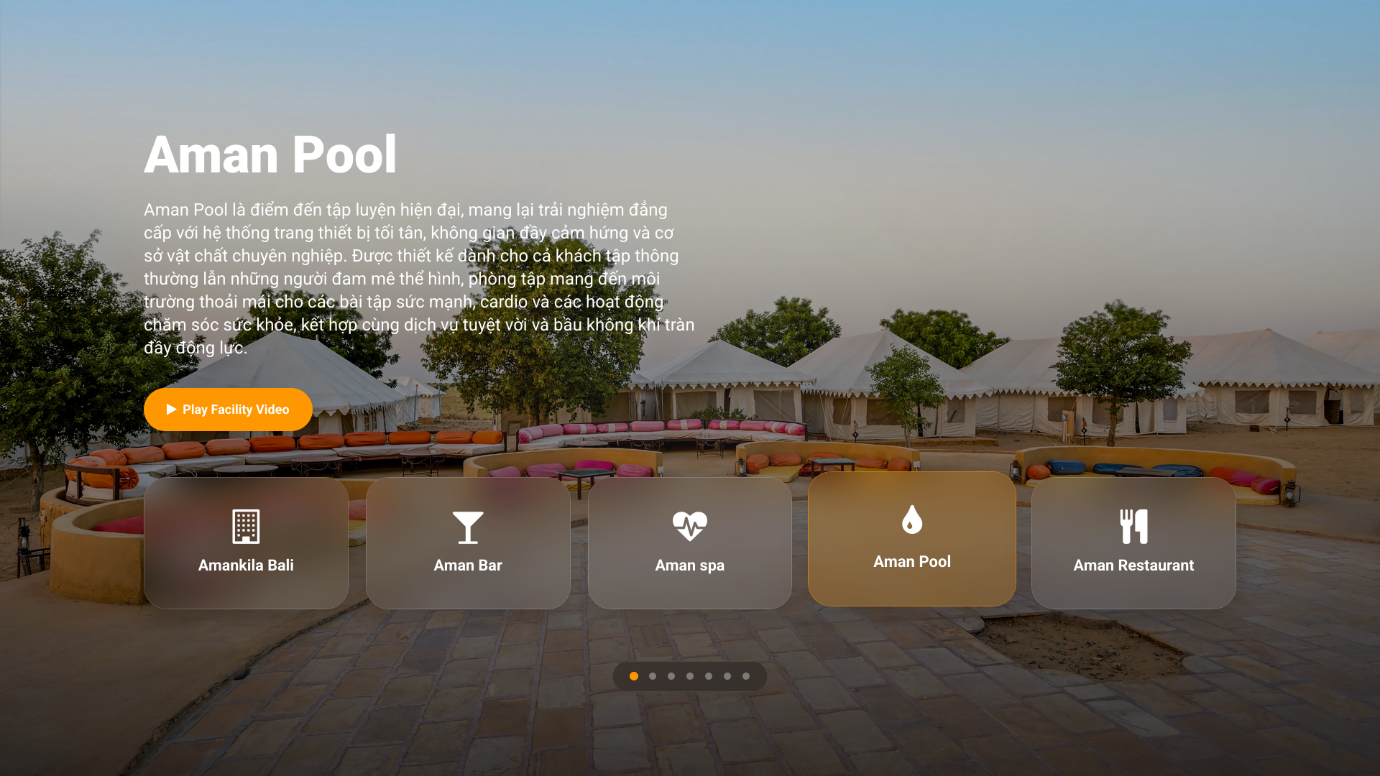
电视端最终效果
Final TV effect